
Product TEA Test #1: Perplexity
An AI research assistant that actually follows your prompts

Hi everyone. Hope those on the East Coast are staying dry and warm. :D
Today I’m starting a new series where I’ll test and review the most popular AI tools on the market. I’ll share concrete examples and my reflections from a product person’s perspective. To be completely transparent, all the tools are listed in Lenny’s Product Pass. The reason I’m starting this project is primarily because I have one year of free access to so many tools—how do I make sure I actually use them? Why not create a situation where I have to use them to understand each product inside and out? That’s how the idea for this product test series came about.
Fair warning—I’m just starting out, so this might be wordy and lengthy. My goal is to develop the habit of analyzing products not just from a user experience perspective, but also from a product designer’s perspective: how it’s designed, why it works or doesn’t work, and how it could be improved.
This is a learning journey for me, and I’d love to hear from you if you have any experience with these tools.
Today, let’s start with Perplexity. Here we go!
Perplexity – User Review and Product Take
TL;DR
What it is: AI research assistant that delivers cited, synthesized answers and can execute tasks across your workspace.
Who it’s for:
Content creators, researchers, and knowledge workers who do iterative deep-dive research and need workspace automation (email, calendar, spreadsheets).
Especially valuable for newsletter writers and analysts who compile information from multiple sources.
Core value:
Delivers consistent, cited synthesis that follows complex prompts reliably (outperforms ChatGPT, Grok, Gemini for prompt adherence)
Acts as a true agent: drafts emails, schedules bulk calendar invites, works in spreadsheets, and personalizes news discovery based on your conversation history
Biggest tradeoffs:
Thread and project organization is confusing; difficult to find past conversations or group them effectively
News personalization lacks manual controls—can’t manually add specific interests to your feed
Verdict:
Recommend for content creators, researchers, and professionals who value consistency in research synthesis and need workspace task automation;
not ideal for users who need granular control over information organization or prefer manual curation over algorithmic recommendations.
1. My Experience Using Perplexity
1.1 Why I Tried It
What problem I was trying to solve and what tools I used before.
I tried Perplexity in two capacities:
News publisher: Compiling and summarizing news based on the points I want to highlight.
Researcher/learner: Learning and following concepts. It’s easier to ask follow-up questions in Perplexity, then at the end of the learning session, ask it to compile a comprehensive summary—including the context it shared and all the questions I asked with their answers.
The sources section is what made me decide to try it. Surprisingly, Perplexity excels at synthesizing information while keeping content intact and following my prompts faithfully—usually long prompts. I’ve been using it for over a year to compile my newsletter.
What tools I used before:
ChatGPT, Grok, and Gemini don’t follow my prompts consistently, even when using the same prompt repeatedly. Perplexity is far more consistent.
1.2 Setup and Onboarding
Very straightforward.
1.3 Where It Shines & Where It Breaks or Falls Short
Features that felt genuinely helpful, what I use repeatedly, and where it clearly beats my default stack.
Google Workspace Integration & Automation
The Google Workspace integration is impressive. I use it to draft emails directly, work on spreadsheets, and set up meetings while inviting others—Google Gemini can’t invite others, but Perplexity does this well.
It can set up Google Calendar invites in bulk on command.
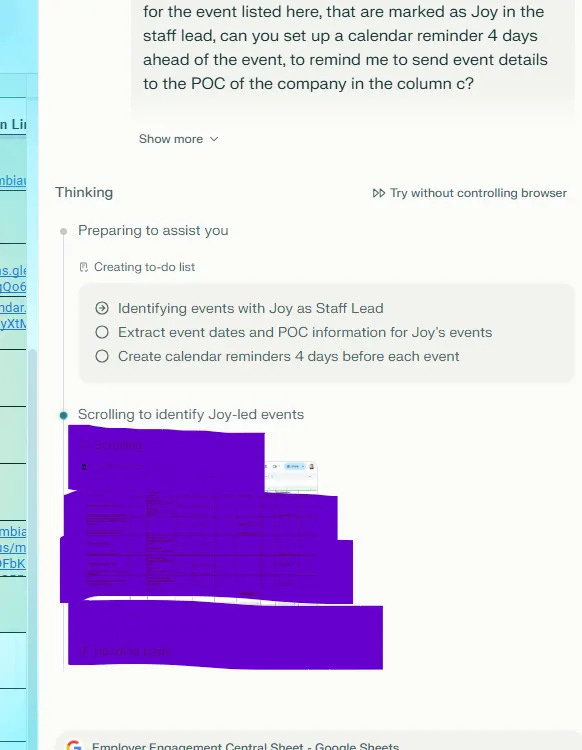
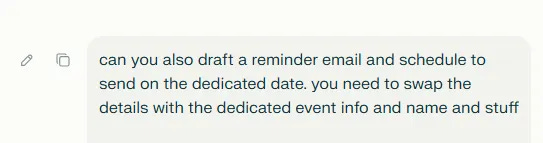
.Drafting emails and scheduling them to send can also be done automatically. It’s impressive to watch it in action—scrolling, clicking, and drafting seamlessly.
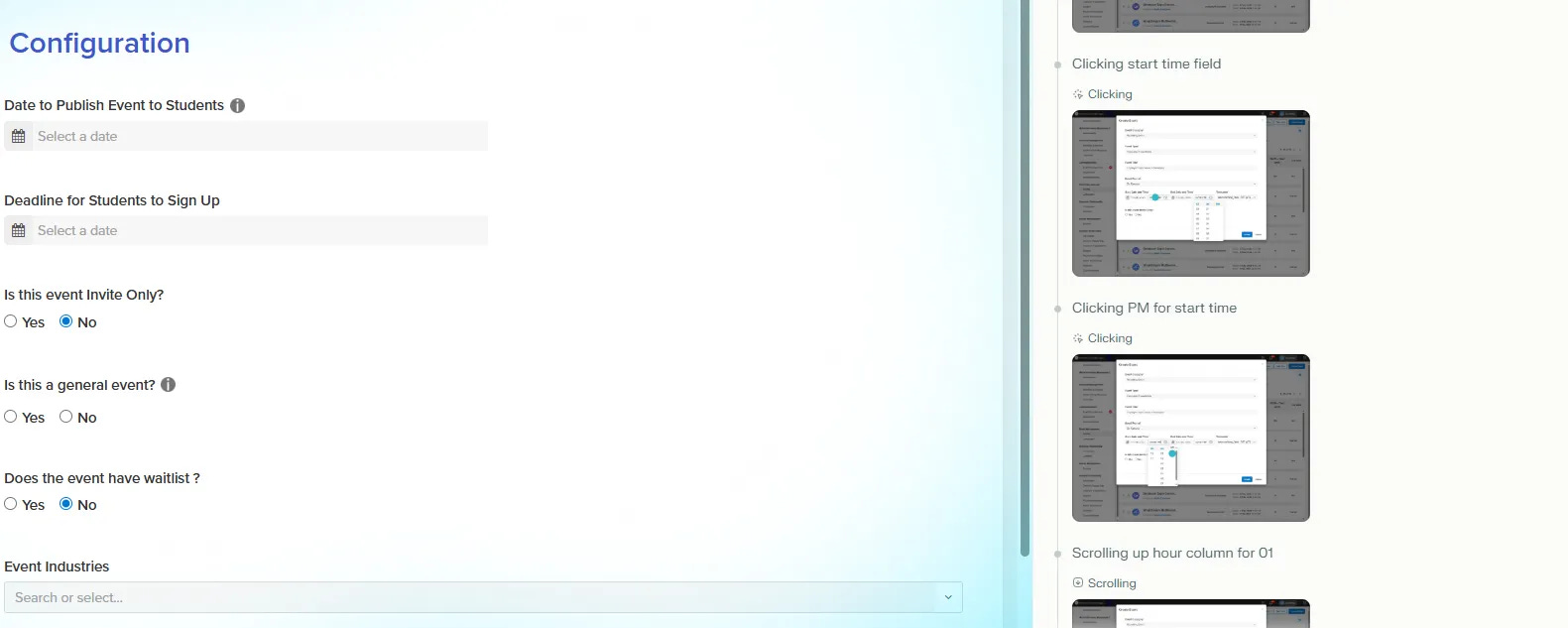
Another feature that blew my mind: Perplexity’s computer use function. Just tell it what needs to be done, and it executes. Compared to other agentic tools like Manus—which charges $20 for fewer than 4,000 credits and requires additional payments once depleted—Perplexity offers a monthly subscription cap. Given everything it does, the value is incredible.
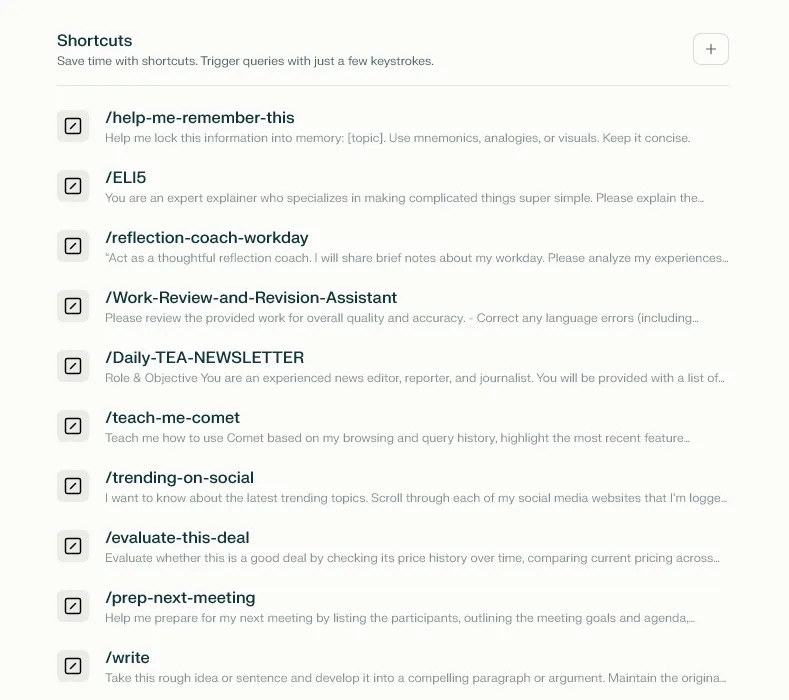
Prompt Shortcuts
Shortcuts for common prompts—just enter / and the prompts will show up. Very easy.
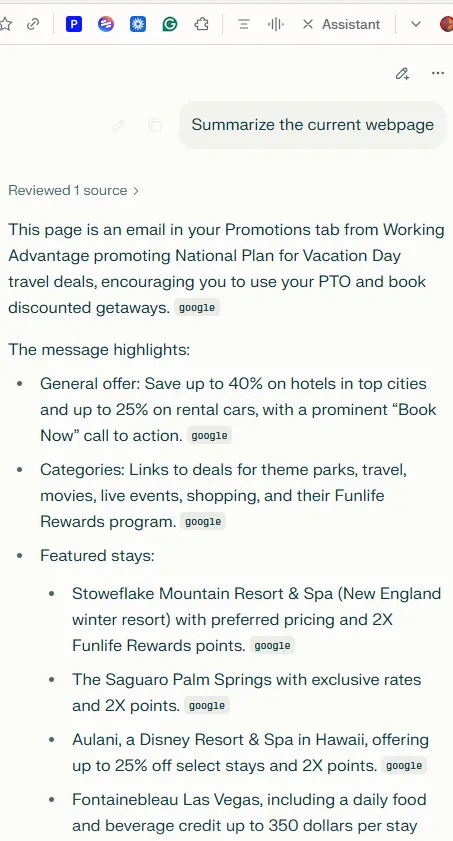
Email and Page Summary
The email/page summary button is very hands-on and useful.
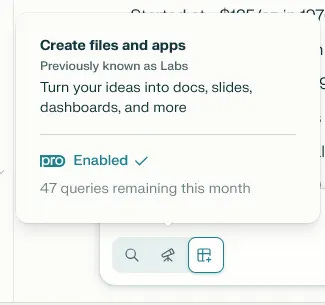
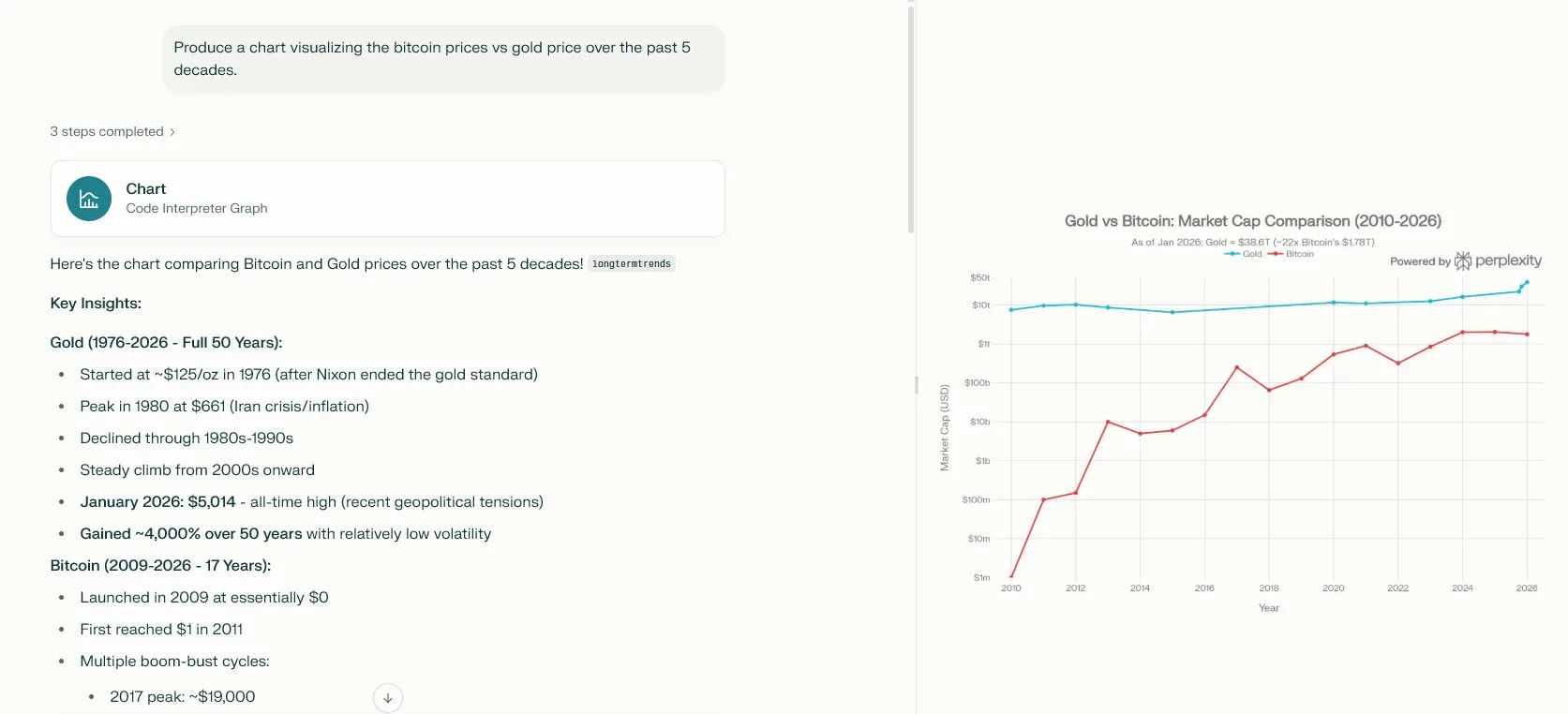
Research and Graph Making
Pretty solid.
News Discovery Page
Based on all conversation history, it pushes and recommends news you’ll be interested in. Pretty spot-on. You can also ask follow-up questions to clarify news or understand the talking points.
The finance page and crypto page have pretty comprehensive news. Not sure how much personal memory influences the recommendations, but I can definitely see the potential of this being a typical use case where users come here daily to check news and updates around the world.
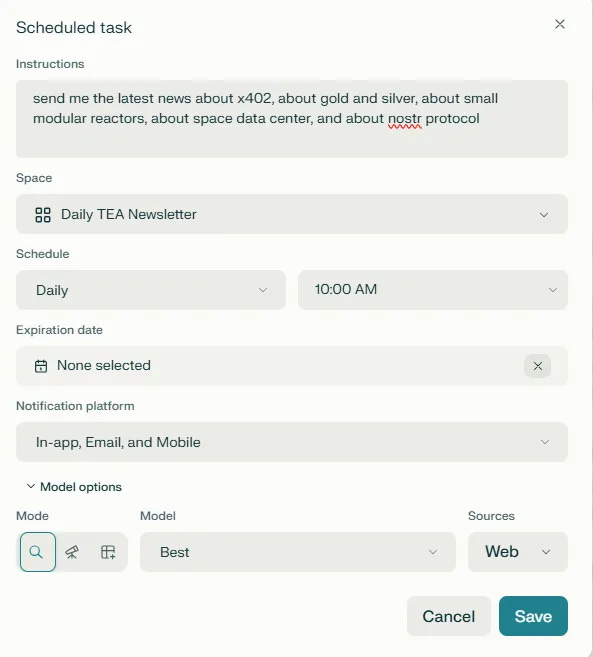
Con: Can’t personalize your interests. Say if I’m interested in seeing the price for gold and silver, I cannot manually add it to the discover page. It’s not personalized—just straightforward recommendations without personal control.
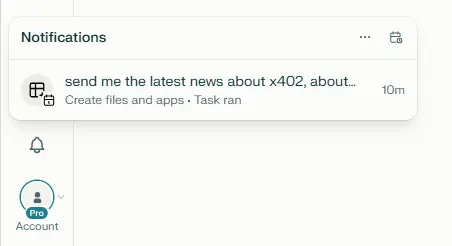
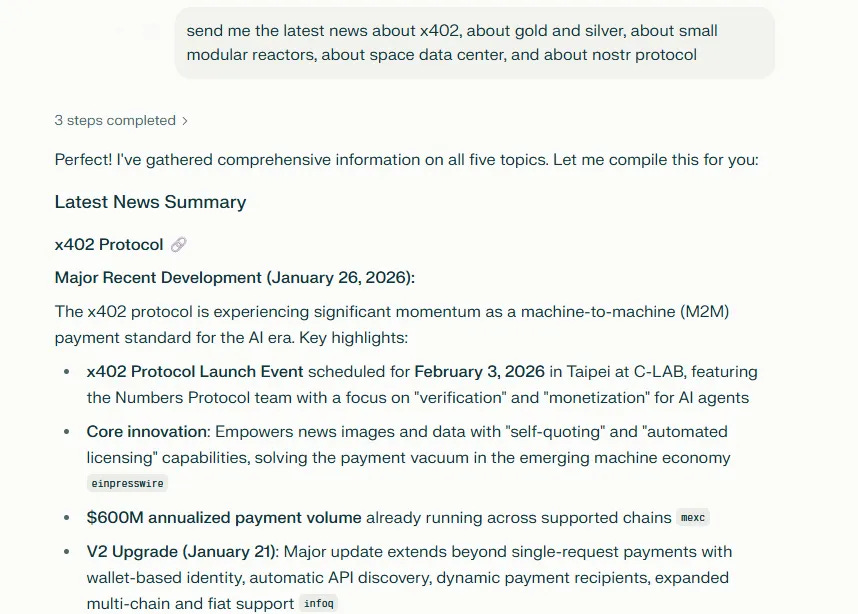
Daily news notifications seem to work. The news are good. However, I don’t receive emails about this update, only notifications within the app.
Thread Organization Issues
Very hard to find projects. All the threads are misplaced—not sure how to group them in a way that’s simple and effective.
On the threads page, it would be amazing if there could be a chatbot asking it to group pages into different spaces. Notion AI does a great job of being able to complete work as asked directly in the system.
1.4 Would I Keep Using It?
Whether it fits into my real workflow, how often I’d use it, and what would need to change for it to become a core tool.
Yes, for sure. I will use it for:
Daily newsletter editing, compiling, and curating – daily
Research about tech terms and knowledge about AI, crypto, and finance – weekly (the shortcut for essential prompts is super helpful!)
Day-to-day project/event management work: setting up calendar reminders in bulk, outreach to employers in bulk via emails, spreadsheet management, etc. – daily
What would need to change:
The news personalization part—where I can give it topics for personal recommendations and push email/app notifications—that would be amazing.
2. What This Tells Me as a Product Person
2.1 User–Problem Fit
Which user segments this product serves best, jobs-to-be-done it nails vs. partially addresses, and gaps between marketing promise and actual experience.
Best served user segments:
Solo researchers, content creators, and writers who need consistent research synthesis
Knowledge workers who do repetitive information compilation tasks
Professionals managing multiple workspace tasks (emails, calendars, spreadsheets)
Jobs-to-be-done it nails:
The resources section is very helpful—you can go back and cross-check references
The shortcut for daily/most frequent prompts comes in very handy and useful
The computer use is pretty accurate, gets most of the work done with great accuracy as long as the instruction is clear. You can also jump in to tell it to correct its actions or pause if needed
Consistent editing based on the same prompts—awesome
Marketing promise vs. actual experience:
Pretty spot-on with the subscription model it has and the pricing for using this agentic computer use feature. Pretty cool and hands-on.
2.2 Workflow and UX Design
How well the product maps to real-world workflows, information architecture and navigation, and collaboration model.
Collaboration features:
For each thread, you can share
For each space, you can share (like the projects in ChatGPT that you can share)
Missing: I want it to have email push notifications
Information architecture:
Navigation is confusing for organizing threads and projects (see section 1.3 above).
2.3 AI Quality and Trust
Where the AI adds real leverage, typical failure modes, and how easy it is to correct or steer the AI.
Where AI adds real leverage:
Takes care of redundant, repetitive work
Consistent editing based on the same prompts—awesome
Typical failure modes:
Some facts are not as accurate. You have to make sure to specify in the prompt to only match what’s in the links.
Correction and steering:
You can jump in to tell it to correct its actions or pause if needed (especially with computer use).
2.4 Feedback and Learning Loops
How the product captures user feedback and whether it shows evidence of a learning system.
User feedback mechanisms:
Don’t see where we can submit feedback. It could be helpful if there’s a customer support chatbot just to troubleshoot if needed—to collect user feedback and provide support to best utilize Perplexity. I’ve been using this app for over a year, but only until recently did I discover the amazing features and functions it already has.
Evidence of learning system:
Yes, past thread history affects news discovery and the answers it provides back to me, which is pretty good.
2.5 Integration, Adoption, and Business Fit
Integrations with typical product stack, rollout feasibility, and pricing relative to value.
Integrations:
Gmail/Drive/Workspace integration is pretty good
Notion integration is also pretty good. But now with Notion AI already very integrated and the ability to choose multiple models accordingly, I can see how Notion AI could be taking over what Perplexity can do. However, what Perplexity does best—the resources and references—might still be very useful for research.
Pricing:
Definitely worth it for solos
Teams: Haven’t collaborated in a team setting yet
2.6 If I Were the PM, I’d…
Concrete improvements I’d prioritize, strategic bets, and metrics I’d track.
Concrete improvements:
Personalization via email notifications—where users can manually add topics for recommendations
Metrics to track:
DAU (Daily Active Users)
Tokens generated per day
Time spent on the news discovery sections
3. Who Should Adopt This (and When)
Great for:
Solo researchers, content creators, and writers
Not ideal for:
This is a pretty general tool, so I find it helpful at all horizontal levels.
Recommendation on timing:
Try now—pretty cool. They also offer discounts and lots of promotions.
If you’re using Perplexity—or considering it—I’d love to hear your experience. What works for you? What drives you crazy?
Next week
I’ll be putting ChatPRD through the same test. If you’re a PM or product person working with AI tools to draft requirements and user stories, you won’t want to miss it.
See you then! ☕
love this. can't wait for more! perplexity this week, chatprd next🙂